We can't find the internet
Attempting to reconnect
Something went wrong!
Hang in there while we get back on track
Log off. Your clips are already cut.
TurboKast finds the moments worth sharing while you play and cuts them vertical. In the morning you keep the best, and they go to YouTube Shorts.
Multistreaming adds no load to your PC. You send one stream from OBS and our servers send it on to each platform, so all you need is a steady upload.
Multistreaming is free to your Twitch channel, your YouTube channel and TikTok LIVE. Kick: coming soon.
Kick Partners must turn on Kick’s multistream toggle, and Kick halves your payout while it is on.
 Continue with Google
By signing in, you agree to our Terms and Privacy Policy.
No card to sign up · One server address and one stream key · No clip is published until you keep it
The interactive demo didn’t load. Here are the three clips instead. The rest of the page still works.
Reload the page-
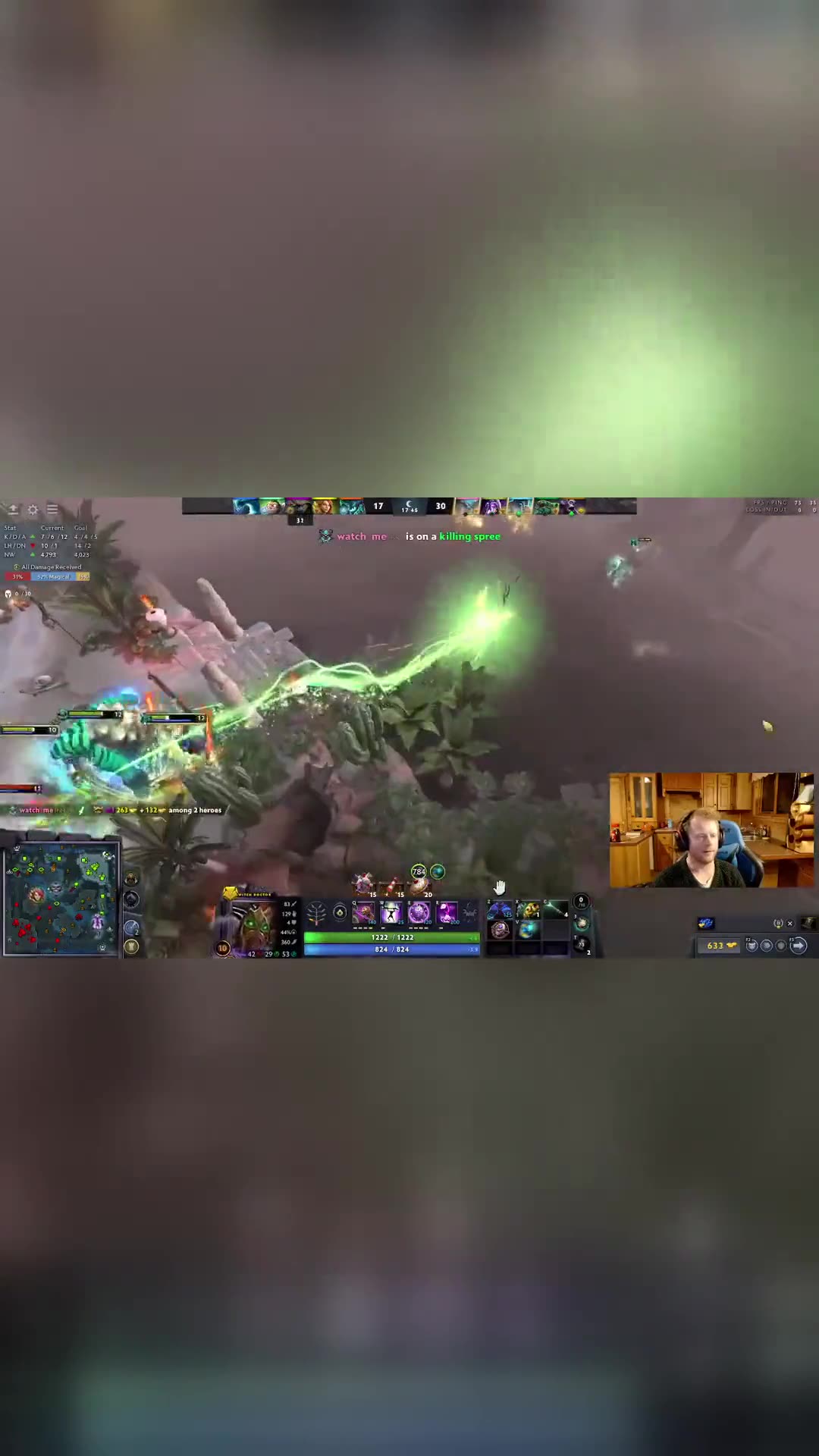 46 kills in 17 minutes
Found by the machine — fusion detector (video + audio), confidence 0.66 (its own 0–1 ranking)
A look at the scoreboard at 17 minutes, then a big area spell opens the next fight.
Title and description drafted with AI and checked by us.
Watch this clip
-
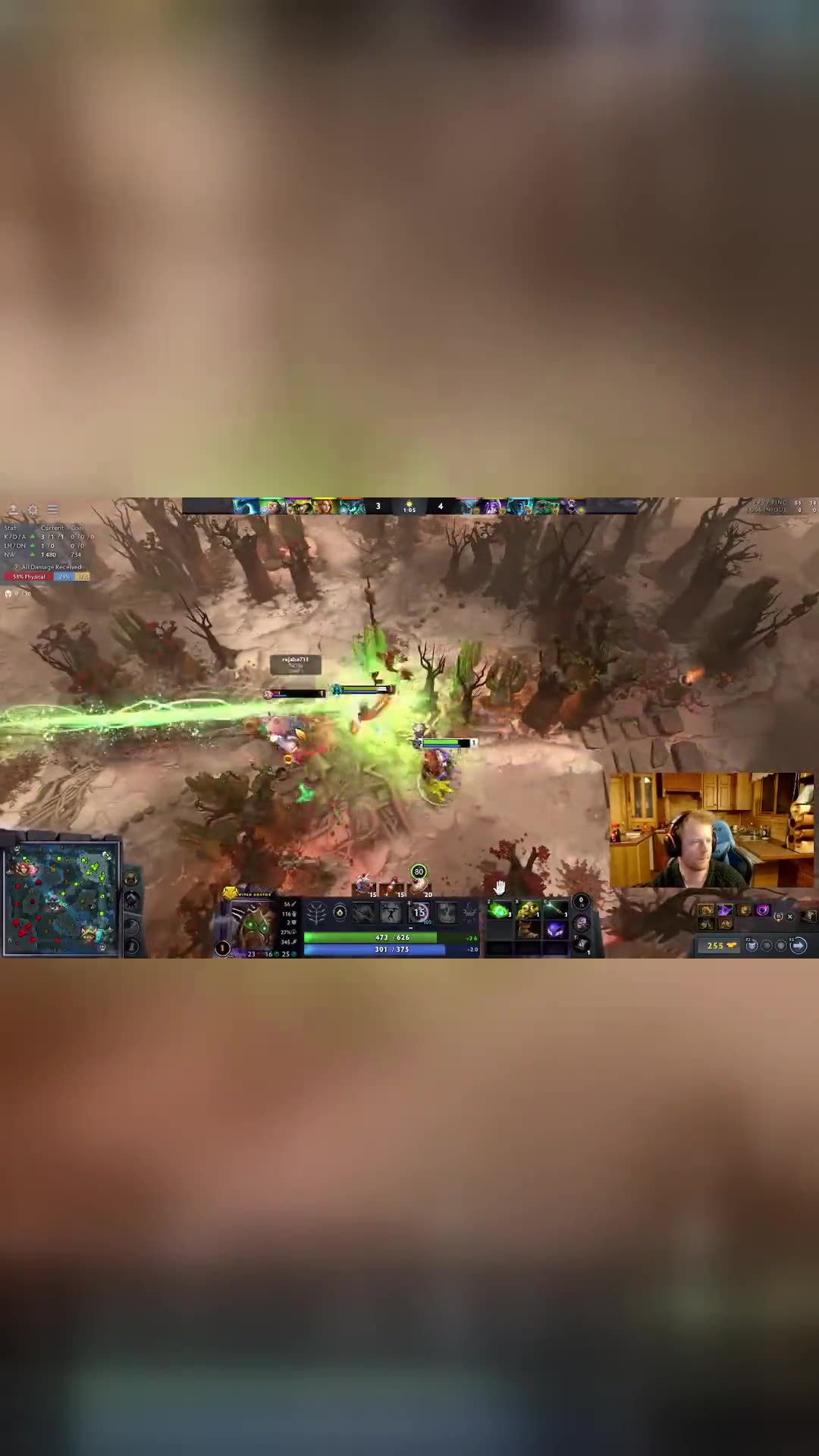 The hook at 1:05
Found by the machine — video detector, confidence 0.68 (its own 0–1 ranking)
Just past the one-minute mark of a ranked Dota 2 game, a lane fight breaks early and one hook gets its own review: "That was a nice hook."
Title and description drafted with AI and checked by us.
Watch this clip
-
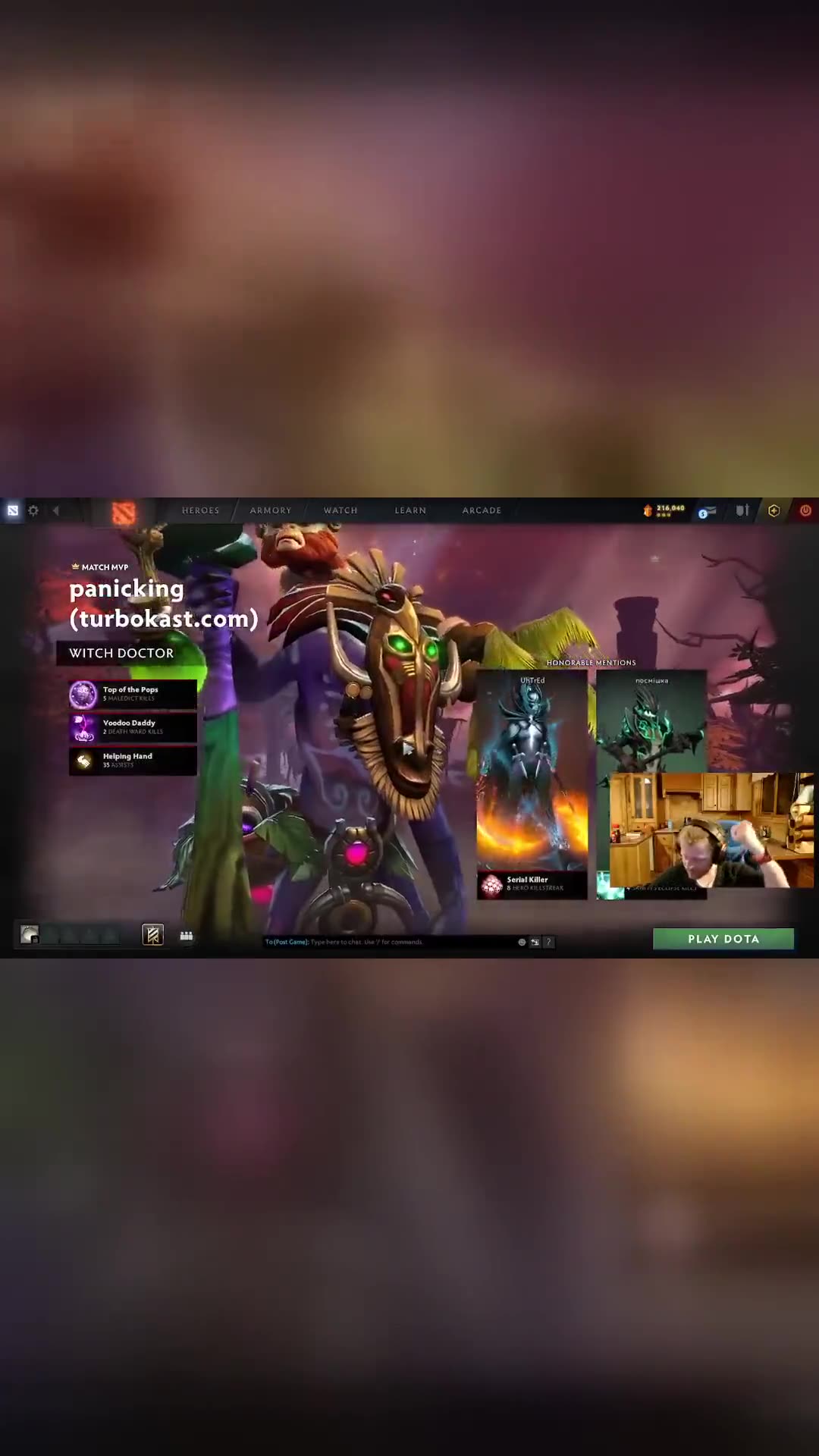 MVP on the winning side
Manual clip request, fired on a fixed schedule during our test run — then picked by us as an example
After the match: the Dire win 66–31 and the MVP screen names panicking (turbokast.com) on Witch Doctor.
Title and description drafted with AI and checked by us.
Watch this clip
A look at the scoreboard at 17 minutes, then a big area spell opens the next fight.
Just past the one-minute mark of a ranked Dota 2 game, a lane fight breaks early and one hook gets its own review: "That was a nice hook."
After the match: the Dire win 66–31 and the MVP screen names panicking (turbokast.com) on Witch Doctor.
Titles and descriptions drafted with AI and checked by us.
SampleWe picked these three from 19 clips made from one 55-minute stream. Of the 14 the machine found on its own, 6 contained gameplay.
Dota 2 gameplay shown for demonstration purposes. Dota 2 is a trademark of Valve Corporation. TurboKast is not affiliated with or endorsed by Valve Corporation.
From go-live to good morning.
A 20-second loop with no sound. OBS connects, the encoder check passes, then Twitch, YouTube and a custom RTMP destination go live. One platform is switched off and back on.
-
Tonight
Go live, like always
Point OBS at TurboKast and go live. It sends your stream to every destination you’ve connected, all at once.
-
While you play
Moments get marked
Chat spikes, the room gets loud, the fight breaks open. TurboKast spots it and cuts a vertical clip.
-
Log off
Nothing to edit
Your clips are already cut. There’s no recording to scrub.
-
Tomorrow
Keep the best
Kept clips go to YouTube Shorts, and you choose public, unlisted or private each time. You write and approve every clip announcement on X.
See it in under 90 seconds.
The whole tour, with captions. Or pick one feature below.
Read the transcript
One stream from OBS, sent to Twitch and YouTube at the same time.
Your encoder settings are checked against each destination.
It tells you which OBS setting to change.
Turn single platforms on or off mid-stream.
Switch one platform off without ending the stream.
A dropped destination retries on its own while the others keep streaming.
Twitch and YouTube chat in one place.
Send one message to Twitch and YouTube at once, or to just one.
See when your message actually shows up in each chat.
Retry a platform that didn't get your message.
Delete, time out or ban from one place.
Every action asks first and shows whether it worked.
Clips found from chat spikes, loud moments and bursts of on-screen action.
They arrive vertical (9:16), with nothing cropped off.
Edit a clip's title before you publish it.
Review a clip, then publish it to YouTube as a Short.
Multistreaming is free.
Or go deeper on one feature
-
Multistream
One stream from OBS, sent to Twitch and YouTube at the same time. Illustrative screens with invented names. This voice-over uses an AI-generated voice.Read the transcript
Add your destinations.
Or paste any RTMP or RTMPS server URL and stream key.
TurboKast checks your bitrate, resolution, framerate and keyframe interval against each destination.
It tells you which OBS setting to change.
One stream from OBS, sent to Twitch and YouTube at the same time.
Turn single platforms on or off mid-stream.
Switch one platform off without ending the stream.
A dropped destination retries on its own while the others keep streaming.
Multistreaming is free.
-
Chat
Twitch and YouTube chat in one place. Illustrative screens with invented names. This voice-over uses an AI-generated voice.Read the transcript
Twitch and YouTube chat in one place.
Send one message to Twitch and YouTube at once, or to just one.
See when your message actually shows up in each chat.
Retry a platform that didn't get your message.
Delete, time out or ban from one place.
Every action asks first and shows whether it worked.
Put chat on a second monitor and moderate from there.
Approve or pin overlay messages from the chat pop-out.
Multistreaming is free.
-
Auto-clips
Clips found from chat spikes, loud moments and bursts of on-screen action. Illustrative screens with invented names. This voice-over uses an AI-generated voice.Read the transcript
Clips found from chat spikes, loud moments and bursts of on-screen action.
They arrive vertical (9:16), with nothing cropped off.
Edit a clip's title before you publish it.
Review a clip, then publish it to YouTube as a Short.
Multistreaming is free.
TurboKast is good, not perfect. No clip is published until you keep it.
It reads chat, audio and video to find your moments. You see every clip first, so only what you keep goes out under your name.
Common questions
Can I multistream from my Twitch channel?
Yes, on conditions. The Twitch Terms of Service (section 11) let you simulcast to other services if your Twitch viewers get an experience at least as good as anywhere else, you don’t send your Twitch community elsewhere to watch, and you don’t use a service that merges other platforms’ activity, such as merged chat, on the Twitch stream. Read the Twitch terms (opens in a new tab).
Do I have to change my OBS setup?
Add one server address and stream key in OBS. Your scenes and overlays stay as they are.
Could a clip get me a copyright strike?
TurboKast doesn’t check clips for copyrighted music yet. You see every clip before it goes anywhere and you decide. Music in your game or stream can still be claimed by the platform you post to, as with any upload.
What does it cost if I stream a lot and make no captioned Shorts?
Nothing. Multistreaming and clipping aren’t charged per hour, destination, GB or bitrate, and posting your clips to YouTube Shorts is free. Only captioned Shorts are priced. The bill meter below shows what a month costs.
Where can I stream and post?
Your Twitch and YouTube channels connect with a sign-in. TikTok LIVE connects with a stream key; TikTok keys can expire within a couple of hours. Kick: coming soon. Kick Partners must turn on Kick’s multistream toggle, and Kick halves your payout while it is on. Kept clips go to YouTube Shorts. They can also go to your TikTok inbox once TikTok approves TurboKast’s app (in review).
Streaming and clipping are free. Captioned Shorts are pay as you go.
Captioned Shorts are £0.15 each. Up to 20 captioned Shorts cost £0.00 in a month you stream. If a month’s total reaches £5, you pay the whole amount; you never pay more than £49 a month.
One month, on one scale
- Nothing to pay under £5
- You pay the full amount £5 to £49
- Capped never more than £49
Each month runs from the 1st (UTC) and starts again at £0.
A captioned Short is a clip TurboKast renders with captions. Posting clips to YouTube Shorts is free. No card to sign up. Try a month on the pricing page →
Stream tonight. Wake up to content.
By signing in, you agree to our Terms and Privacy Policy.
No card to sign up. Streaming and clipping are free. Captioned Shorts are £0.15 each. Up to 20 captioned Shorts cost £0.00 in a month you stream. If a month’s total reaches £5, you pay the whole amount; you never pay more than £49 a month.